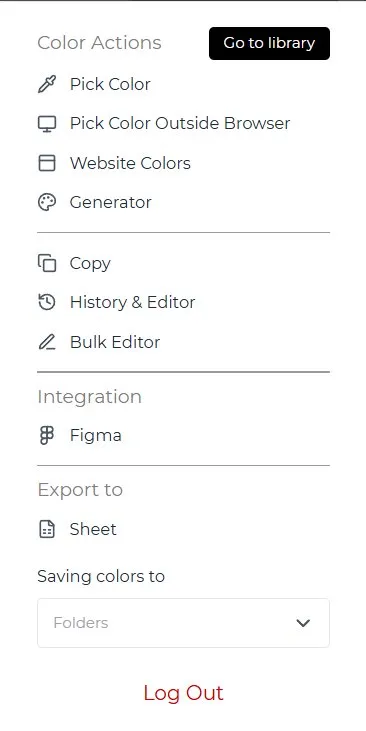
Chrome Extension
Pick colors from any website, save to folders, access your full library from any tab. Includes a color picker, website color scanner, bulk editor, and export to Google Sheets.
Stop rebuilding color styles from scratch. Colors with You syncs your palette across every Figma project automatically — so you design faster and stay consistent.
Built for UI designers
Smoother flow for UI designers — curate your colors and sync them straight to Figma.
Three places, one library
Pick colors from any website, save to folders, access your full library from any tab. Includes a color picker, website color scanner, bulk editor, and export to Google Sheets.
Your central color hub. Organize colors and gradients into folders, filter by RGB values, bulk edit or move colors, and track every change with version history — including timestamped snapshots.
Import colors from your CWU library directly into any Figma file. Export your Figma color styles back to your library. Link folders to specific files and track incoming/outgoing sync in real time.
Free palettes are shared to the Color Wall — a public community library of real designer palettes.
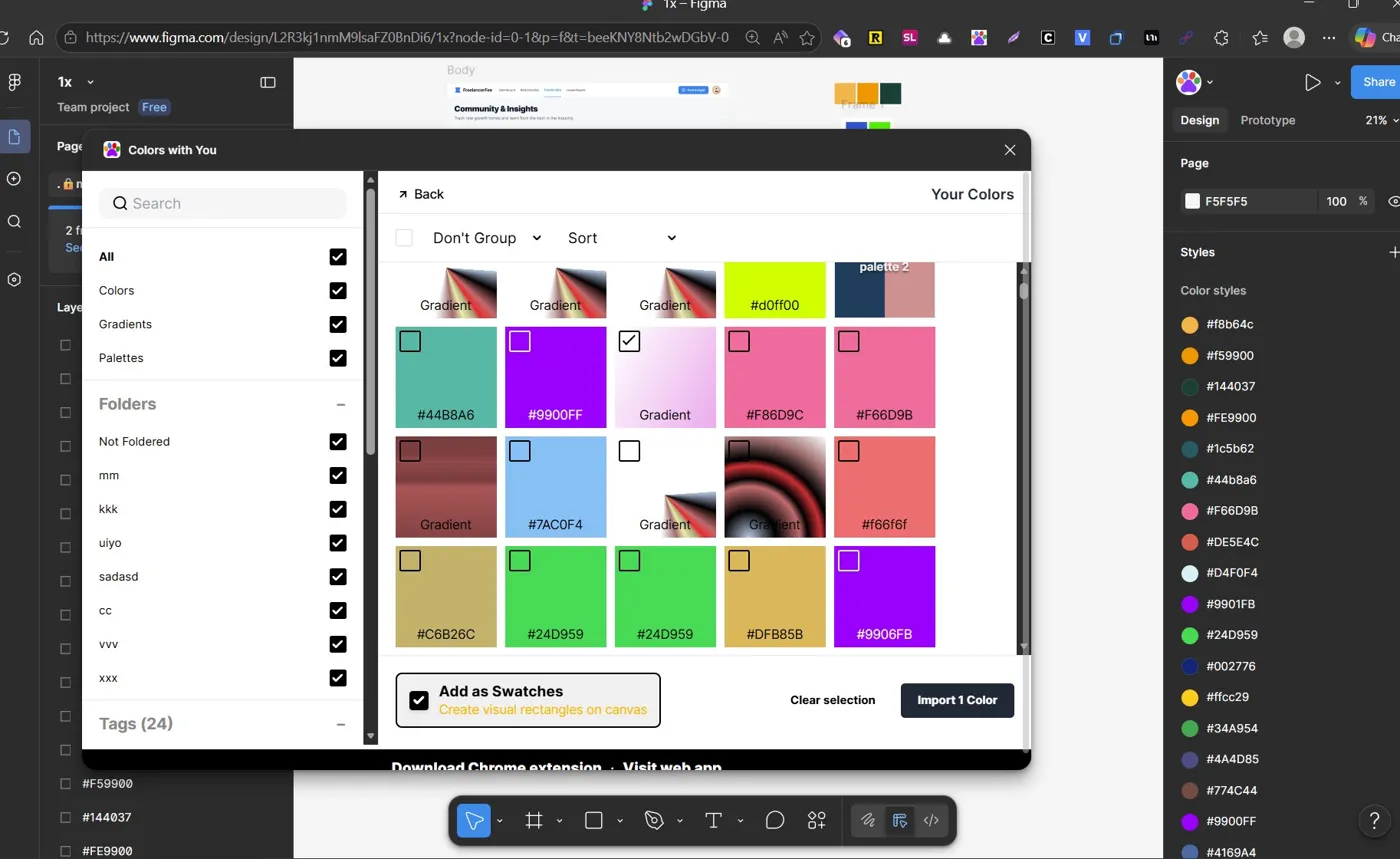
Real-time sync
Link your CWU folders to any Figma file. Every color update flows in automatically — 28 styles synced in a single session, zero manual work.
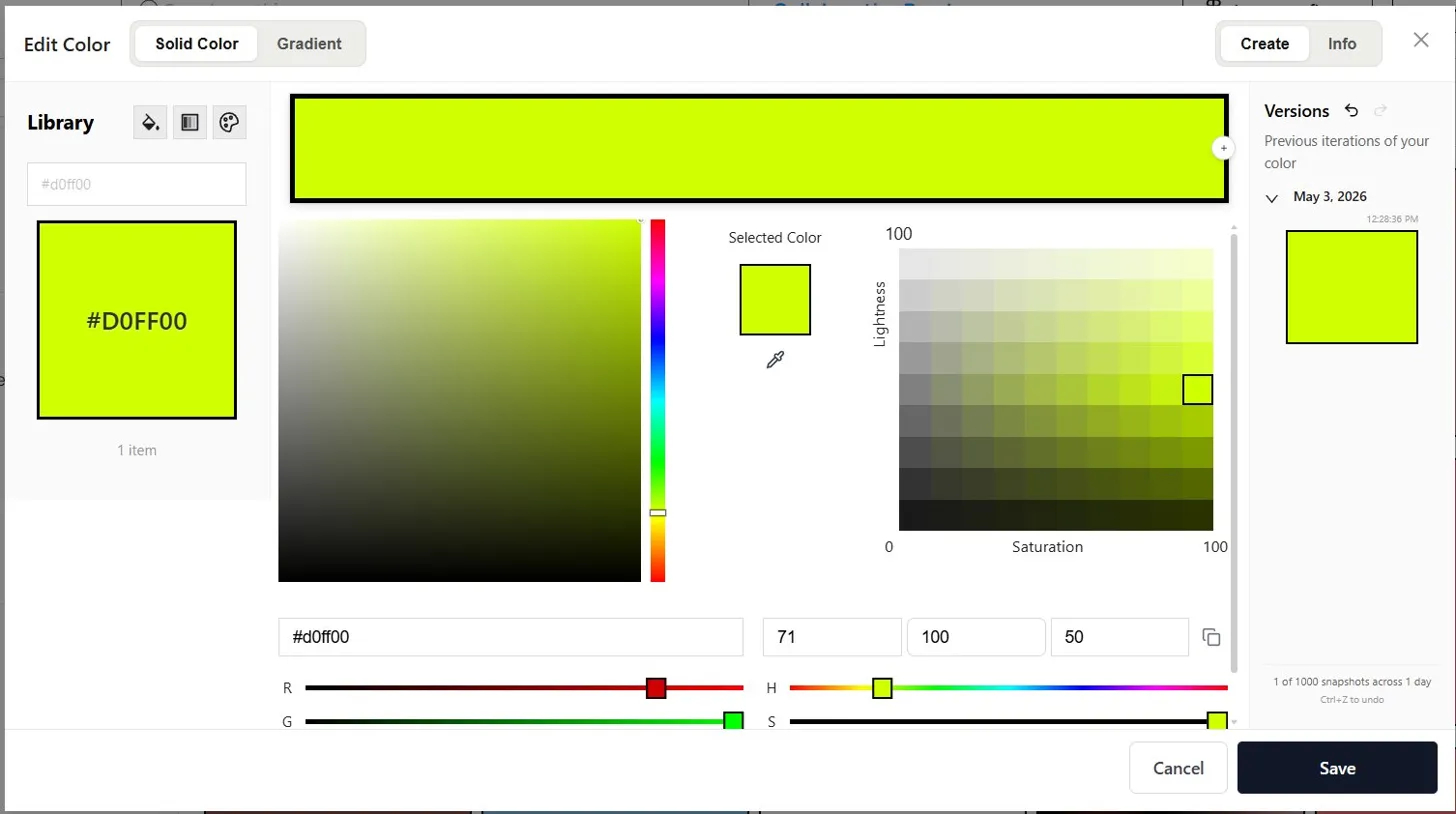
Version history
Every color change is saved with a timestamp. Roll back to any previous version of a color with one click. Never lose a palette again.
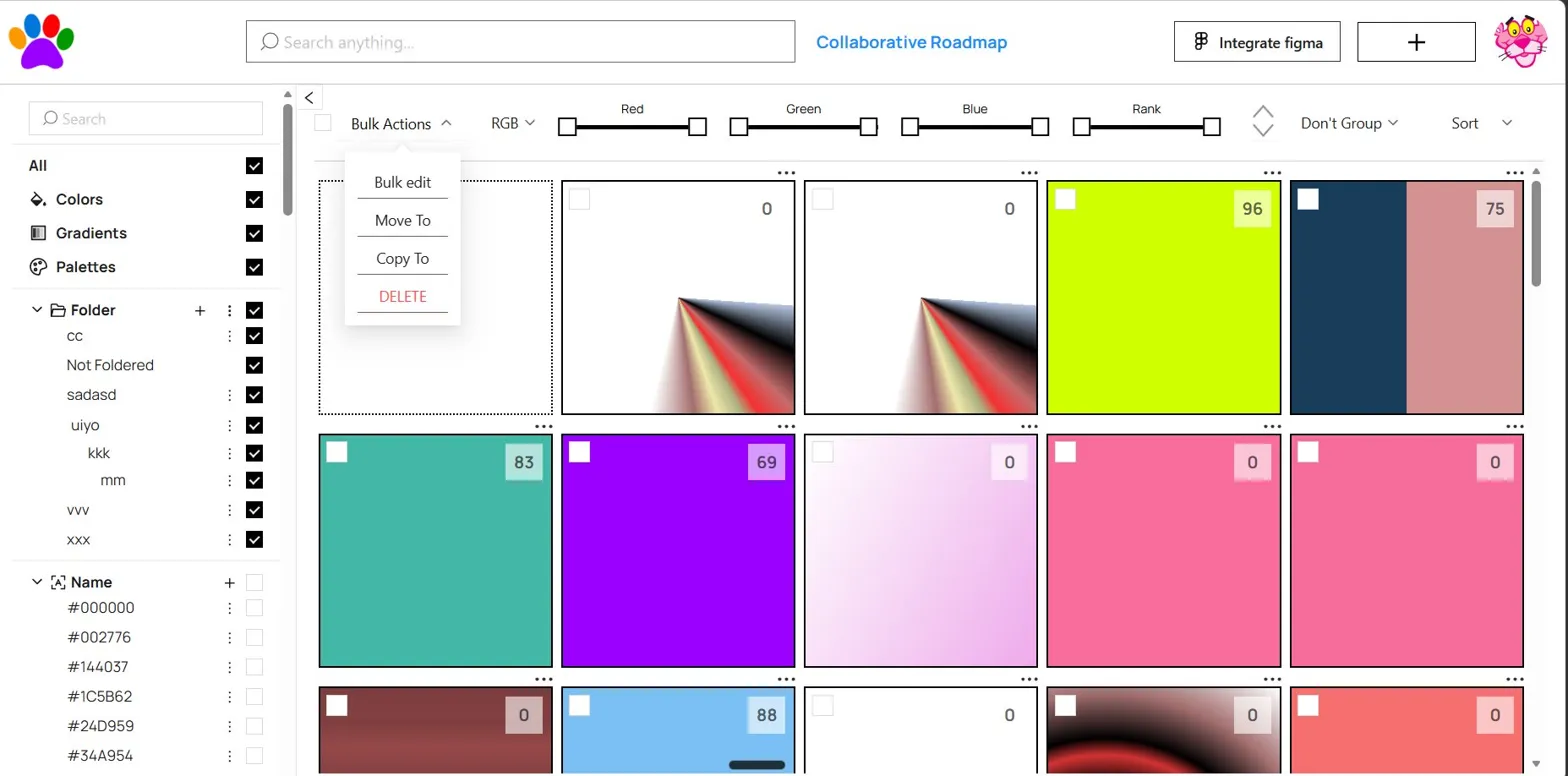
Bulk editing
Select multiple colors, move them to folders, copy to other collections, or bulk edit hex values. Manage hundreds of colors as fast as a few.
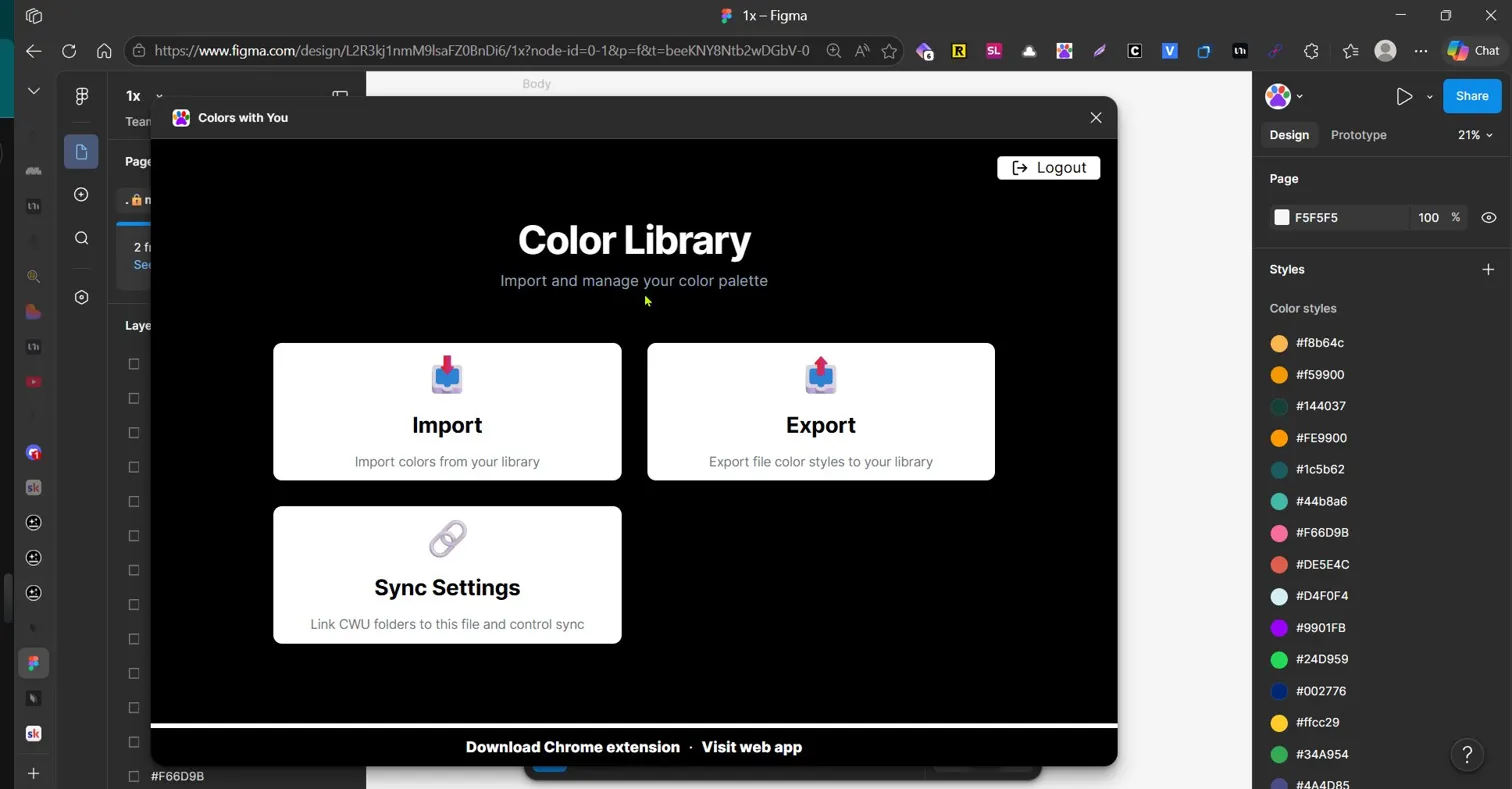
Everywhere you work
Chrome extension for browsing, web app for managing, Figma plugin for designing. One login, one library, everywhere.
How it works
Use the Chrome extension to pick colors from any website or manually add hex values. Organize into folders.
Open the web app to sort, filter, bulk edit, and version your entire color collection in one place.
Open the Figma plugin, link your folders, and import colors as native Figma color styles — ready to use instantly.
New · Claude MCP
Connect Colors with You to Claude via MCP. Browse, organize, search, and call your palettes directly from Claude and Claude Design — then keep them in perfect sync with your Figma plugin and web library.
https://cwu-mcp.colorswithyou.com/mcpPricing
Save unlimited colors and gradients, build your library, sync to Figma. No storage limits, ever. Upgrade only for power features.
Save unlimited colors and gradients, build your library, and sync to Figma.
Forever. No credit card.
Unlock unlimited Figma sync, version history, and private palettes.
Billed monthly. Cancel anytime.
Free plan colors and their metadata are shared to the Color Wall — a public community library of real designer palettes. Upgrade to keep yours private.
“I used to waste 20 minutes every new project hunting for hex codes. Colors with You just made that problem disappear.”
— A designer who finally stopped copy-pasting hex codes